Save jobs from any site to resum8
Found a job on LinkedIn or Indeed? Save it in one click, see how well you match, keep track of where you’ve applied, and tailor your résumé for it.
Coming soon to the Chrome Web StoreWorks in Chrome, Edge, Brave and Arc.
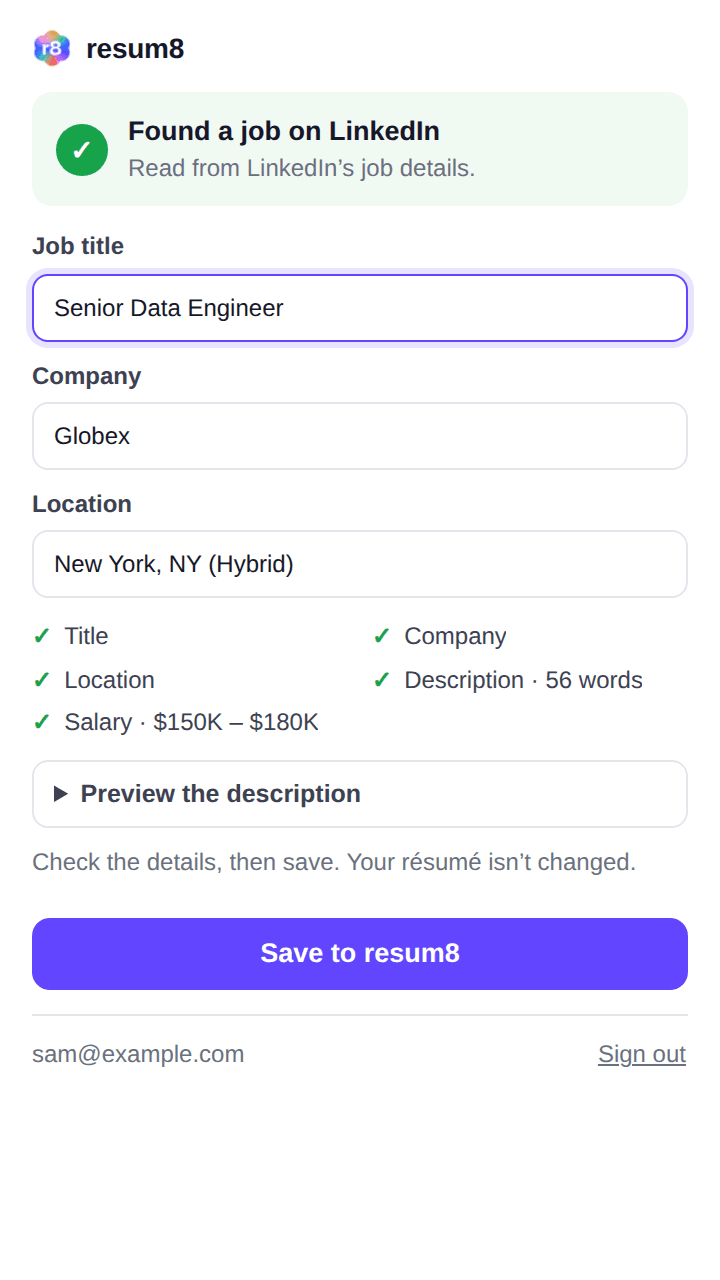
- Step 1
Open a job, click resum8
On LinkedIn, Indeed, Glassdoor, a company’s careers page or anywhere else. It picks up the title, company, location, salary and description.
- Step 2
Check it and save
See what it found before anything is sent. Saved jobs land in your resum8 Jobs, with how well they fit your profile.
- Step 3
Tailor your résumé
One click makes a copy of your résumé for that job, with the posting attached for the AI. Your original stays as it is.
Private by design
The extension reads only the tab you’re on, and only when you click it. It doesn’t track your browsing, and nothing is sent until you press Save. Jobs you save are visible only to you. Read the privacy policy.